

Build the Order, Let Them Confirm: A Playbook for Growing Wholesale Reorders



Key Takeaways
- Reorders are crucial for business growth, and the process is straightforward: you build an order, save it, then the customer reviews and submits it.
- Review customers’ past purchases and activity on your B2B portal. Identify when a buyer’s ready to reorder, what they usually buy, and which additions may fit, to create tailored orders that can be bigger.
- Set up standing orders for buyers who repeatedly purchase the same products at predictable intervals.
- B2B Wave allows you to save orders, send reminders if they stay unsubmitted, and set up recurring orders.
People go to a restaurant for the food, but come back for the service. Service turns a random customer into a regular. In wholesale, buyers visit your B2B portal for the products, but a smooth ordering and reordering experience gives them a reason to return.
Much like a waiter, your B2B eCommerce platform tracks and stores data about customer activity. And as a seasoned maître d’, a sales rep can build an order based on a buyer’s specific needs, save it, and then book a meeting, join a call, or email the buyer to discuss it. Then, the customer can review, change, and submit it through your B2B portal.
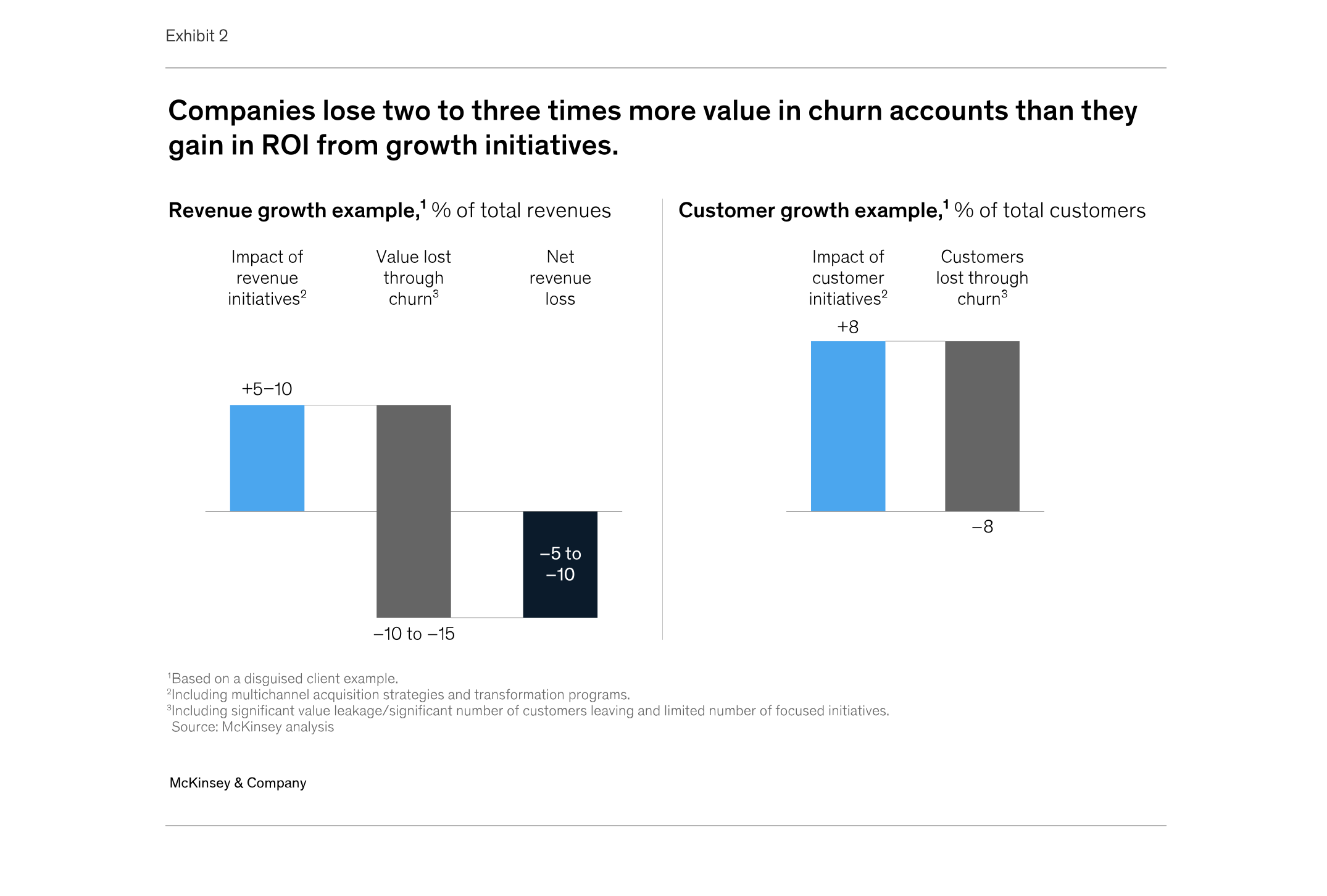
Reorders are essential for wholesale eCommerce. While new accounts contribute significantly to your business expansion, growing your existing accounts is also a scaling strategy. According to a 2025 McKinsey analysis, retaining a customer costs less than a third of acquiring a new one. These are familiar accounts whose behavior and preferences you know and track, giving your sales team the opportunity to make tailored suggestions that complement what they usually buy, grow orders, and keep buyers active, happy, and back for more.
In this article, we’ll discuss how reorders can support your growth and how you can make that happen with B2B Wave: see who’s ready to reorder, build the order, and let the customer submit it.
What You Need in Place to Grow B2B Reordering
To encourage repeat orders, you want a view of what buyers browse and buy, a way for customers and sales reps to create orders and save them for review, and a way to remind customers to take saved orders to checkout.
In B2B Wave, you can get these through the following tools:
- Browsing activity: Review the Customer Activity report to decode buyer behavior. You can also see which products they tried to order but couldn’t because they were out of stock.
- Buying habits: Look into the Customer Product Sales report to reveal product preferences and buying patterns.
- Saved orders: With B2B Wave, you can enable buyers, admin users, and sales reps to create orders and save them for later review.
- Encouraging order submission: B2B Wave’s unsubmitted order reminders nudge customers to return to saved orders and finish their purchase.
With these in place, you can start spotting reorder opportunities.
Which Customers Should You Prepare a Reorder For?
The best way to spot the right customers is to look at your B2B portal’s data: look for those exploring products they don’t usually buy, revisiting items they couldn’t buy, or taking longer than usual to reorder. Use their behavior to prepare a tailored reorder.
Who Is Exploring Products Beyond Their Usual Purchases?
Use Customer Activity data to identify existing customers repeatedly viewing particular products or categories, including browsing your PDF catalogs. Compare those products with a Customer Product Sales report. Are these customers exploring new items or another product category?
Prioritize accounts where you can explain how that interest relates to what they already buy. Use their browsing activity as a starting point to make targeted suggestions for their next order.
Who Tried to Order Products You Couldn’t Supply?
Look for unsuccessful attempts to order products or quantities beyond available stock. Check current availability and see if the customer has purchased those items since that attempt. Identify and follow up with accounts where you can revisit an unmet request, but remember to confirm their current needs.
For example, a customer may have tried to order 50 units of a blanket when only 10 were available. If your stock can cover that request, your sales team has a specific reason to connect with them and discuss adding these blankets to their next order.
Who Is Reordering Later than Usual?
Use Customer Product Sales to review what a customer buys, how much they buy, and when. Compare several purchases with their usual pattern, including any regular products missing from recent orders. A longer gap gives you a reason to check whether they need a restock or their buying needs have changed. For instance, a hospital that usually orders bandages and gauze every month but hasn’t ordered in over two months is worth a call. Also, consider seasonal purchases and recent orders before contacting buyers, as they may stock up ahead of time to avoid delivery disruptions (e.g., holiday closures).
Customers who know what they need can reorder on their own, but preparing an order for them makes sense when you have something to suggest. A Gartner survey published in 2025 found that 73% of B2B buyers say they avoid suppliers who send irrelevant outreach. Start with a small list of customers where you can explain what you’d prepare and why, and use their usual quantities as the benchmark for that conversation.
How to Build a Wholesale Reorder for Buyers
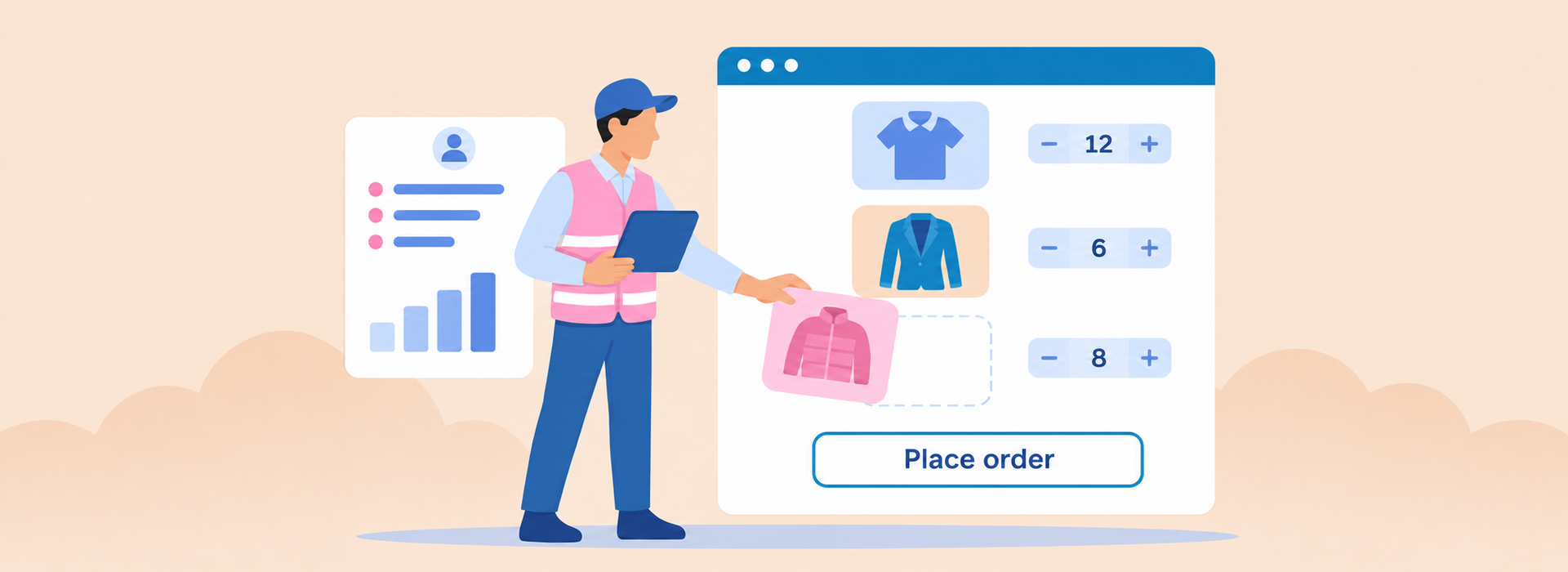
Begin by reviewing customers’ purchase history and activity on your B2B portal. If a customer has been browsing new products, consider these as relevant additions. Prepare and save an order for their review. They can adjust the proposed quantities before submitting or, if needed, discuss them with your sales rep.
- Start with their regular purchases. If a buyer always purchases specific products from you (e.g., a specific men’s shirt in different sizes), you should consider these items for the reorder. The quantities of products regularly purchased provide a reference for the new order. For instance, if a retailer ordered 30 shirts in Medium and 20 in Large in each of their past three orders, use those as your benchmark for the new order.
- Explore appropriate additions. Bring forward the opportunities you identified when you reviewed the customer’s activity. Look for products they browsed beyond their usual purchases, or items they previously couldn’t buy because they were out of stock. Back to our example, let’s say the customer viewed a jacket a couple of times since their last order. You could add this item to the new order.
- Give each addition a reason. Before sending a saved order to the customer for final review, explain how new product additions relate to their existing purchases or an unmet request. For example, the jacket they browsed can be worn over the shirt they usually buy, so the retailer can encourage their customers to buy these items together. This way, you connect customer activity to the order and explore opportunities to increase its value.
- Check quantities and availability. The products customers are browsing are one part. But quantities are another. Customer activity reports don’t establish how much product buyers need, and the quantity requested during an earlier stock shortage may need updating. In our example, your sales rep can check current stock for all items included in the reorder. Based on this and their order history, they can suggest a jacket quantity during their discussion with the retailer.
Saving the Order for Customer Review
In B2B Wave, admins and sales reps can impersonate a customer to build an order on their behalf. With unsubmitted orders enabled, they can save it for review. Here’s how:
- Save the order for later. Once your sales rep creates the order, they can choose “Save for Later” from the order page, then save.
- Let the customer review it. Buyers can find the order under “Unsubmitted Orders” on your storefront and select “Review and Confirm” to review the order and make changes before submission. Remember that if they prefer, buyers can save the order after reviewing it and have your sales rep finalize and submit it.
With the order saved, you can contact the customer to explain what you’ve included and why.

How Do You Confirm a Reorder?
Follow-up is essential to help customers evaluate the order, clarify quantities, understand the additions, and decide what to buy. Here’s where good service comes in: call or email to explain the order and send a reminder if it remains in the cart.
Getting in Touch with the Customer
Call or email the customer to explain what you’ve prepared and why (e.g., how the jacket the retailer browsed complements their regular shirt purchases).
This step gives buyers a clear next step: review the unsubmitted order, adjust products and quantities, and submit or get back in touch with your sales team if needed.
Bringing the Customer Back If An Order Stays Unsubmitted
What happens if the reorder remains unsubmitted? That’s where unsubmitted order reminders come in. Once enabled through B2B Wave support, the system sends a one-off automatic reminder after the order has remained unsubmitted for more than 24 hours. Admin users can send further reminders through “Send reminder” in the “Unsubmitted” menu. Plus, you can customize the reminder email template to match your tone and ordering process.
The reminder gives buyers another opportunity to return to a saved order and complete their review.
When You Should Use Standing Orders for Wholesale Reorders
Back to our restaurant: the maître d’ greets a regular customer and asks if they’ll have their usual. In wholesale, you can bring this “they know me well” feeling to customers who repeatedly buy the same products and quantities by setting up standing orders.
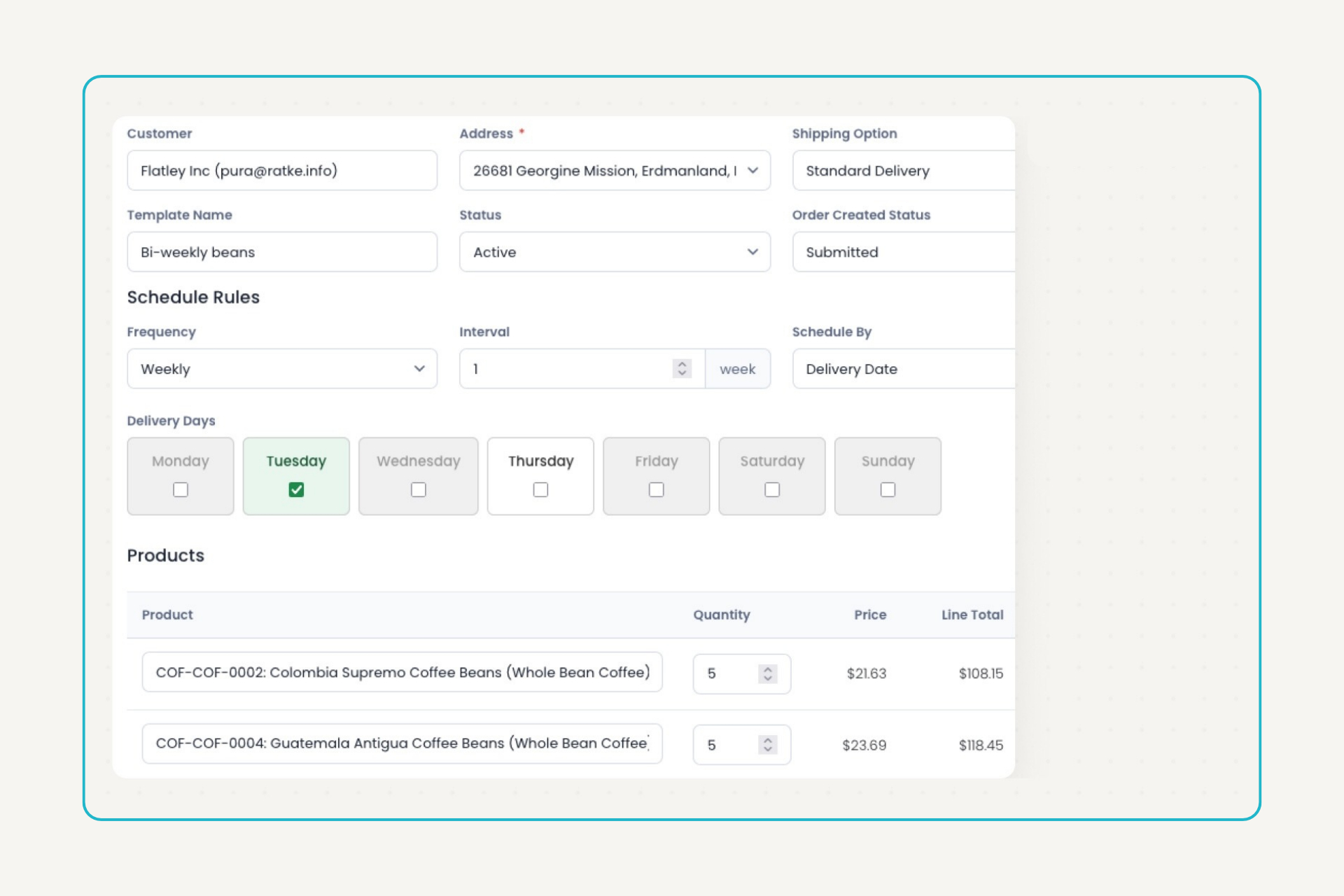
The key lies in customers’ purchase history. Look for purchases at regular intervals, like a hospital ordering the same quantity of KN95 masks every two weeks. Set up the products, quantities, and schedule once, and B2B Wave creates the orders automatically. You can spend the time saved on personal service and more targeted suggestions that could increase order value for these routine reorders.
In B2B Wave, you can choose the number of weeks between orders (e.g., 1, 2, or 12 weeks) and what happens when each order is generated:
- Save it for later: B2B Wave saves the order as unsubmitted. The customer reviews it, adjusts quantities if needed, and submits it.
- Place it directly: You set up the standing order. Scheduled orders then go through automatically, without waiting for the customer to submit them.
Keep two limitations in mind. Standing orders don’t retain variants. In our clothing example, the shirt would be added to the order with no size selected, which means recurring orders don’t work for products with options. Stock or other product restrictions can also prevent a scheduled order from being created, so check availability for upcoming reorders.
Can Reorders Increase Wholesale Order Value?
Yes, they can. Specific purchasing habits provide a sound starting point. Digging into customer activity can help you unearth relevant additions to buyers’ usual purchases. Prepared reorders give buyers something concrete to review and evaluate. Higher value comes from the additions they agree to move forward with.
And that’s where your sales chops come in. Show customers why these new items have value for them. In our clothing example, the jacket can complement the retailer’s assortment and be sold alongside their usual shirts. Adding jackets creates a cross-selling opportunity that can increase the value of this reorder and future reorders if the jackets become a regular purchase.
Help customers evaluate the proposal. Your sales rep can follow up to discuss whether the saved order fits the buyer’s needs and clarify quantities. Unsubmitted order reminders can help bring buyers back to an order they haven’t finished reviewing. For customers with predictable replenishment needs, standing orders reduce routine preparation, giving your team more time to discuss suggested additions. Ultimately, your B2B eCommerce platform should support your reordering process.
Reorders can help you grow existing accounts. By combining your B2B store data with your sales team’s customer knowledge, you can help buyers build a more useful, higher-value order and provide them with the kind of service that gives them a reason to come back.
Looking for a B2B eCommerce solution that’s geared for reordering? Request a demo and see how B2B Wave can simplify wholesale ordering for your business.






Join fast-growing B2B wholesalers, distributors, and brands who are automating their businesses.
No one does B2B eCommerce like B2B Wave. We’re fast, intuitive, error-free, and integrate with your current stack.


