.png)
.png)
Multilingual B2B eCommerce: Translation Tips for Wholesalers



Key Takeaways
- In a gated B2B portal, language is set per account or profile, not by URL. Hreflang, subdirectories, and translation plugins matter less once buyers log in.
- For logged-in wholesale buyers, translation is primarily a retention and adoption play. Translate for the markets you’ve already won, and use order frequency to decide which ones to prioritize.
- Setting a customer’s language translates the interface immediately. Your product catalog, categories, and statuses don’t follow, while customized email templates need to be updated separately for each language.
- Your admin users, sales reps, and suppliers need their own language too. A B2B portal only saves work if they feel comfortable using it.
- Translation is an ongoing project and can be phased. Untranslated fields fall back to your store’s source language, so start with your top SKUs and expand from there.
The scene opens in Colorado, United States. A sporting goods wholesaler’s sales reps have spent their week answering questions like “What exactly does this functional trainer do?” from their Italian customers, instead of selling.
They have an English-only B2B ordering portal – but everyone speaks English, right? Mostly yes, and their Italian buyers read it fine. But reading a language and working in it aren’t the same thing, especially when there’s a purchasing decision involved. Their Italian buyers may never complain about it directly. Still, they’ll order less because ordering starts to feel like extra work, while reps absorb the difference in the number of questions.
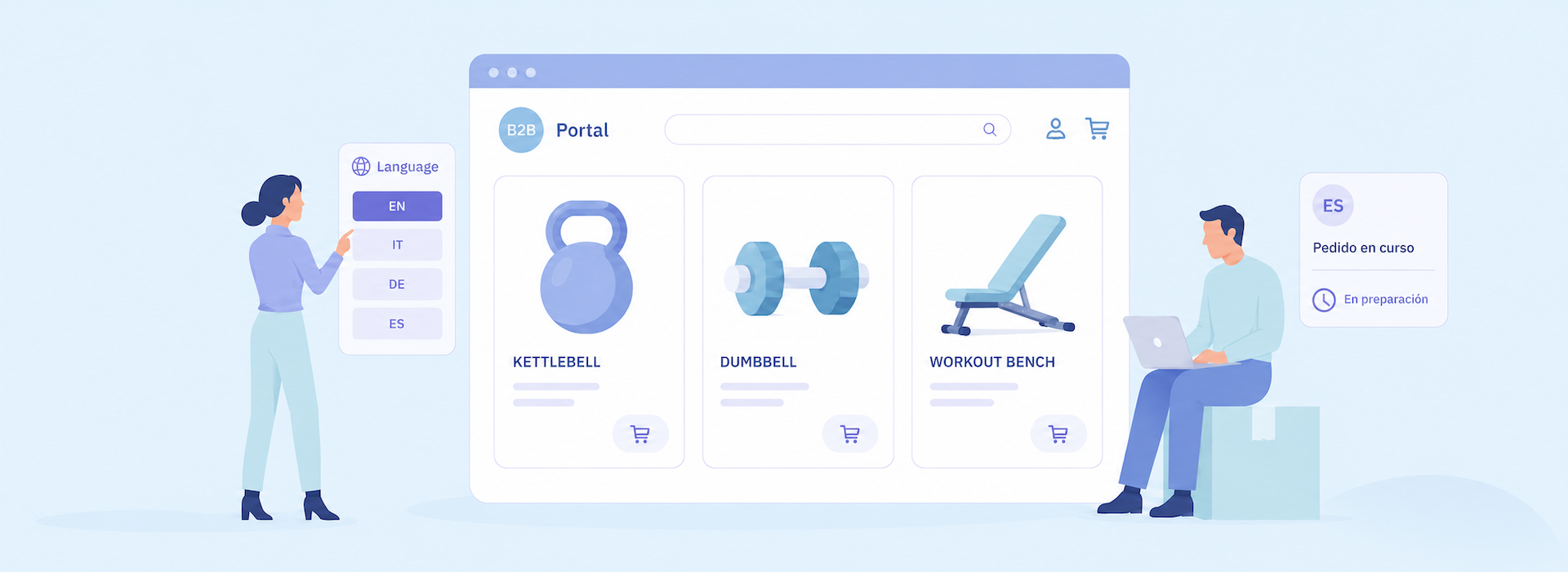
Multilingual B2B eCommerce doesn’t work the same way as multilingual B2C. In a B2B portal, language isn’t necessarily determined by the URL someone lands on. It’s configured on the account: the customer, sales rep, supplier, or admin record, and applied every time they log in.
Set that language and the interface translates immediately. Everything else- your catalog or product statuses- is all work you have to do yourself for your multi-language B2B portal.
This article covers what translates on its own, what you have to do yourself, and what nearly everyone forgets when it comes to multilingual B2B eCommerce.
Why the B2C Localization Playbook Doesn’t Fit Wholesale Commerce
If you’re researching multilingual B2B eCommerce, you’ve probably read about hreflang tags, language subdirectories, and putting a language switch in the navigation. It makes sense if your storefront is public and you want to be found in search or cited in AI assistants.
All these work for discovery. An anonymous visitor arrives from Google, and your website has to work out which language to display to someone it knows nothing about. Hreflang “tells” a crawler which language version of a URL to show which audience.
A gated wholesale website works a bit differently. You already know exactly who you’re selling to, what they buy, and what their preferred language is. It’s all in your backend data. And there are no alternate URLs for hreflang to point at because the same URL renders differently depending on who’s logged in. A B2B website deals less with discovery and more with removing friction from repeat orders.
Some wholesalers keep part of their online catalog open, and that portion behaves like any other site: crawlable, indexable, worth optimizing. But the moment someone logs in to see product prices and place an order, language stops being a URL issue and becomes an account setup issue. In practice: the Colorado wholesaler can translate their catalog. Yet, it won’t help Italian buyers find them through online search: their public pages stay in US English, the store’s primary language. It does, however, help their existing Italian buyers place orders more easily.
Here’s how the two models differ:
Ultimately, a translation plugin doesn’t really cut it for a multi-language B2B portal. Plugins make sense if you have anonymous website visitors, but wholesale runs on accounts.
Choosing Which Languages to Support
If deciding which languages to add to your B2B portal sounds all Greek to you, this list will make the decision easier.
- Order frequency by market. A buyer placing a large order once a quarter will push through a clunky ordering process, because the order is worth the effort. A buyer restocking every other week won’t. They’ll order less often, and it’ll show up in your revenue report. Back to our example: if the B2B platform’s reports show Italian accounts ordering equipment frequently and at high value, it’s a stronger case for translation than a single French buyer placing a large annual order. Translation is a retention play, so it’s geared for markets you’ve already won.
- Sales rep communications. If your reps are running every email from a particular account through Google Translate, that’s a strong signal. It’s also the easiest one to check: ask them which international accounts take the longest to handle and why.
- Who checks the translation? Machine translation handles grammar, not industry jargon. An Italian-speaking rep knows the term local buyers actually use for a functional trainer, but a translation engine doesn’t. If nobody on your team can review the output, that’s a reason to wait on a language, or to budget for someone who can.
- Platform limitations. B2B eCommerce platforms usually support specific languages, so confirm with your software provider before promising buyers anything. B2B Wave currently supports 12 website languages: English (US and UK), Croatian, Danish, Dutch, Finnish, French, German, Greek, Italian, Portuguese, Simplified Chinese, and Spanish. Other languages can be added to your account. It’s worth asking before ruling out a platform.

What You Actually Need To Translate (and What Is Automatic)
Setting a customer’s language does less than you’d assume. Let’s separate what your B2B eCommerce platform does for you and what you need to feed into it.
The Interface Translates Itself
Menus, buttons, the checkout flow: that’s all your B2B portal’s work. When you set a language on a customer account, B2B Wave renders the interface in that language immediately. Nothing to set up or write. This can create false confidence: your customer-facing B2B website looks translated, so the job feels done when, in fact, there’s more to do.
You Need to Provide the Content For Your Buyers
Most multilingual B2B eCommerce platforms require you to supply the translated product details yourself.
Take B2B Wave’s translations feature. It covers product names and descriptions, product categories, brands, pages you create, news, your company description, and order and product statuses. But you enter the translations, or you import them – it’s not automatic.
Good news: you can upload products and their descriptions in bulk via import/export tools or use the platform’s API to automate the process, which for a catalog of any size is the only sane way to do it. Categories, brands, and product and order statuses you handle by hand, though those lists are short and quick to translate.
Two Details to Know Before You “Speak” Another Language
- What’s left untranslated falls back to the store’s source language. If a product was created in English and has no Italian translation, the customer sees the English. Nothing breaks, and nothing goes blank, which lets you translate your catalog in stages.
- Translate order statuses. A buyer opens their order history and sees “Being Prepared.” If the status hasn’t been translated, it’s the moment they email a rep to ask what’s happening with their order. It takes five minutes to translate an order status list, yet it’s the last thing anyone puts in their translation pipeline.
One setup note: In B2B Wave, support needs to enable the Translations feature on your account. Do that before you plan the work, or you’ll set a customer’s language, see the catalog still in English, and assume something’s broken.
Order Confirmation and Update Emails Are a Separate Job
Email templates work differently from storefront content. When you add a language, B2B Wave’s default templates come through in that language automatically. In practice, our Colorado wholesaler’s customers set to Italian receive a translated order confirmation from day one.
Here’s what to watch when you customize emails: Personalize the English version (your tone, your fields, your support contact), and that work doesn’t carry across. You need to do it again for every anguage. And every time you edit the English template afterward, the other versions stay as they were until you update them manually. B2B Wave has several default templates in play. You get each for every locale you activate.
The sporting goods wholesaler can translate their entire catalog into Italian and still send those buyers a bland, default order confirmation email. At the same time, their English-speaking customers get the version someone actually wrote for them. Check which templates you’ve personalized in each language before you assume they’re all doing their job.
Your Team Needs Their Own Language Too
Most conversations about multilingual B2B eCommerce focus solely on the buyer. But customers aren’t the only ones logging into your portal.
Our US-based wholesaler has an Italian sales rep who places orders on behalf of accounts, checks stock, and chases order statuses in an admin panel built in English. Their supplier in Amsterdam manages their own product listings in English, though Dutch is their first language.
A rep who finds the admin panel hard to understand will go back to what feels comfortable: spreadsheets, emails, and phone calls to your office team. Suddenly, the orders they place aren’t in your system until someone keys them in, and stock isn’t updated live on your website, so a customer may end up ordering three of something you’ve already sold. At the end of the day, you’re hunting down the customer to apologize for the mistake, your fulfillment team gets a backorder to handle, and the tech you bought to reduce manual work isn’t cutting it.
In B2B Wave, admin users, sales reps, and suppliers can each configure their preferred language on their profile. The admin panel then appears in that language, while everyone works from the same backend and looks at the same data.
Ultimately, localization beyond the buyer is an adoption issue, not a courtesy to keep your team happy. A B2B platform trims unnecessary admin work only when your team feels comfortable using it.

Multi-Currency Pricing: The Other Half of Cross-Border Ordering
If language gets buyers to read your catalog, currency gets them to order. Numbers may be universal, but a buyer opening a currency converter to work out what an order actually costs before sending it to their manager for approval is doing your arithmetic.
Enter multi-currency price lists. In B2B Wave, admins create price lists in different currencies and then assign them to customers, so an Italian buyer can always see product pricing and shipping costs in euros.
Currency works differently. It’s set on the price lists and not on customers. Language is a setting on one account; the price list the customer is assigned to has a determined currency. Back to our example: the US-based wholesaler sets the language and forgets the price list. In the end, the Italian buyer reads a fluent catalog, gets order confirmations and updates in their language, but still needs to convert dollars to euros in their head before submitting an order.
Prices are also fixed per list rather than converted at live rates. That’s usually what you want in wholesale: quote a stable price instead of one that moves with the exchange rate. You can also use a fixed conversion rate for a price list and update that rate when needed, adjusting all of its prices at once rather than changing them individually. The trade-off is that you need to stay on top of euro shifts to keep your margins healthy.
How To Maintain Translations In A Multi-Language B2B Portal
Most wholesalers treat translation as a project: you do it, it’s finished, you move on. But translations decay. New products arrive untranslated, categories get renamed, and email templates drift apart. Treat it like clearing out the fridge: a small regular job, or an unpleasant large one later.
In B2B Wave, untranslated fields fall back to the store’s source language. A product created in English with no Italian translation displays in English to Italian customers, so nothing renders blank. That’s what makes a phased rollout possible.
- Assign an owner to this job, or your language-specific content quietly decays.
- Use machine translation only as a first draft, then have a local rep or a translator review it. They know the terms buyers use.
- Start with your top 50 SKUs, then put translation on the product-launch checklist. The fallback behavior means you can expand at your own pace. But if new products keep arriving untranslated, it’s easier to fall behind.
- Do the small stuff before you go live with a new locale (e.g., categories, order statuses). These are short lists and quick jobs. Leaving core labels and information half-translated makes a website read as sloppy, while an English-only experience at least feels deliberate.
Remember: with every new language you support, the localization workload grows. Six email templates across four languages means 24 versions, and that’s alongside your products, categories, brands, and so on.
It’s All Greek Until It Isn’t
Back in Colorado, the reps have their week back, and that’s because the right things got translated: the descriptions buyers read about that functional trainer or new kettlebells before ordering, the statuses they check afterward, the order update emails they get in Italian.
Setting a customer’s language takes five seconds. Everything after that is a decision about how much work you’re handing to your buyers and your team. The right platform gives you the tools to save time and still speak their language.
Want to see how B2B Wave supports multilingual B2B eCommerce? Request a free demo and we’ll show you what your Italian buyers would see.




.svg)

Join fast-growing B2B wholesalers, distributors, and brands who are automating their businesses.
No one does B2B eCommerce like B2B Wave. We’re fast, intuitive, error-free, and integrate with your current stack.
.svg)

.png)

.svg)