.png)
.png)
What’s New in B2B Wave: MCP Server, Katana Integration, and Wholesale Ordering Controls




Key Takeaways
In this update:
- B2B Wave MCP Server for faster, AI-assisted store data exploration
- New Katana integration for syncing inventory, order, and fulfillment data
- Revolut Pay support for eligible EU-based businesses
- Standing orders and delivery date rules for more controlled B2B ordering
- Updated language settings for admin users, sales reps, and suppliers, plus Croatian language support
At B2B Wave, we’re always working to make running your wholesale business easier with our B2B eCommerce platform.
Our latest product updates focus on helping teams manage the daily complexity of wholesale operations: accessing store data faster with the new B2B Wave MCP Server, connecting inventory and payment tools with Katana and Revolut Pay, supporting global teams with more flexible language settings, and improving order management with features like standing orders and delivery date rules.
🤖 AI-Ready Access to B2B Wave Data
B2B Wave MCP Server
Connect B2B Wave with MCP-compatible AI tools.
What It Does: The B2B Wave MCP (Model Context Protocol) Server allows approved MCP clients, such as Claude, Cursor, or similar tools, to connect to your B2B Wave store. Access is admin-authorized and read-only by default, covering B2B Wave orders, products, prices, and customers. Teams can ask AI-assisted tools questions about store data, such as which products a specific customer ordered most during a given period, or how many orders a customer canceled in the first quarter of 2026.
Why Use It: MCP support gives wholesale teams a faster, more flexible way to explore B2B Wave data through AI-assisted tools. It complements existing reports by helping teams ask targeted questions and get useful operational insights faster.
For more details, read all about the MCP Server.
Integrations Just Got Richer
B2B Wave + Katana Integration
Connect Katana with B2B Wave to keep inventory, order, and fulfillment data aligned between your B2B eCommerce platform and inventory management system.
What It Does: Supports order creation and updates in Katana from B2B Wave, plus inventory, tracking number, carrier, and order status updates from Katana to B2B Wave.
Why Use It: Keep inventory, order, and fulfillment data connected between your B2B eCommerce platform and inventory management tool.
B2B Wave + Revolut Pay
Accept payments from your B2B store through Revolut Pay.
What It Does: EU-based businesses using B2B Wave can now offer Revolut Pay as a checkout payment option. Buyers with a Revolut account can pay directly from their account, without entering card or bank details.
Why Use It: Give customers across Europe another fast, familiar payment option and create a more flexible payment experience.
Want to learn more about our new integrations? Contact our team to discuss setup.
More Control Over Wholesale Ordering
Delivery Date Rules
Give customers clear delivery date options at checkout.
What It Does: Delivery date rules determine which delivery dates customers can choose for their order. Admins can set these rules based on order day, cutoff time, available delivery days, and customer-specific delivery schedules. For example, a wholesaler may support Friday delivery for orders placed before 2 p.m. on Thursday, while orders placed after 2 p.m. may move to the next available delivery day. Admins can also assign delivery date rules to different customers, so one customer may only see Tuesday and Thursday delivery options, while another sees Monday and Wednesday.
Why Use It: Manage customer expectations around order delivery and make internal coordination easier when working with fixed delivery routes, regional schedules, production cutoffs, or buyers who need orders to arrive on specific dates.
Standing Orders
Automate repeat ordering for customers who purchase the same products on a regular schedule.
What It Does: Admin users can create a standing order for a specific customer, choose the relevant products, address, shipping option, delivery schedule, and order status, and preview the order creation plan for the next 8 weeks before saving it.
Why Use It: Standing orders support wholesale businesses serving customers who buy specific quantities at regular intervals, such as food service buyers with scheduled replenishment needs (e.g., a diner ordering pancake batter every week), while reducing manual order entry for recurring orders.
Note: Standing orders currently don’t support product variants.
Customer-Specific Minimum Quantity and Box Quantity Overrides
Apply different minimum quantity or box quantity rules for different customers.
What It Does: Admins can set customer-specific overrides for minimum order quantity and box quantity rules. For example, a medical supplier may want different box quantity requirements for hospitals than for private practices. With customer-specific rule overrides, you can apply these requirements without changing the default product rules that apply to most buyers.
Why Use It: Wholesale ordering rules aren’t one-size-fits-all. Larger distributors, regional partners, or key accounts may need different order minimums or box quantity requirements. These overrides give wholesalers more control over account-specific ordering rules.
Product Variant Weights and Barcodes
Add weight and barcode options at the variant level.
What It Does: Manage weight and assign barcodes for product variants.
Why Use It: Businesses can keep variant data more accurate, identify variants more easily, and manage pricing differences when variants have different weights.
Interested in one or more of these wholesale ordering features or wondering how these may fit your business needs? Contact our team.
Smarter Localization for Global Teams
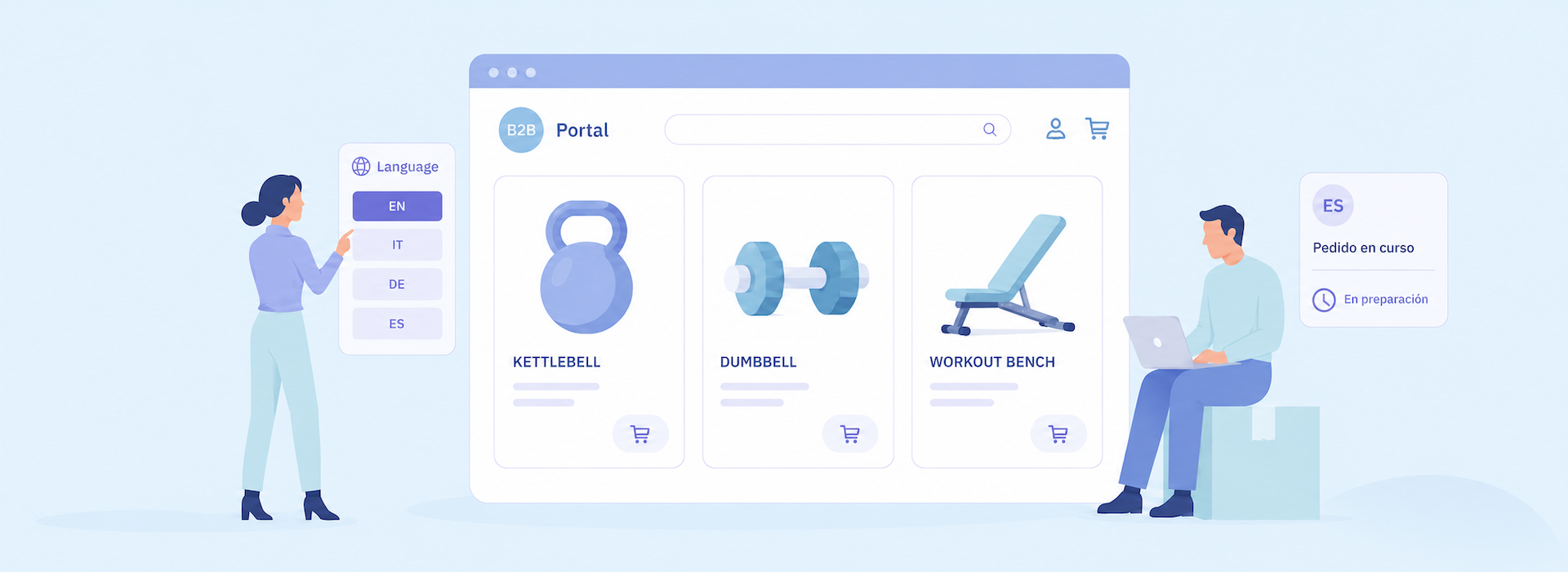
Admin Panel Language Settings by Admin User, Sales Rep, and Supplier
Support multilingual internal teams with more flexible language settings in their daily work.
What It Does: B2B Wave now supports language settings at the admin user, sales rep, and supplier levels, in addition to existing language options for the customer-facing portal and buyers. For example, a company may run its main portal in English while allowing a sales rep, internal user, or supplier to use the Admin Panel in French.
Why Use It: Flexible language settings help multilingual teams with an international presence work more comfortably in B2B Wave.
Croatian Language Support
🔔 This just in: Sada govorimo hrvatski! Yes, we speak Croatian.
What It Does: B2B Wave now supports Croatian across its portal, Admin Panel, and translation features, including email templates, products, order statuses, and more.
Why Use It: Wholesale teams based in Croatia, operating in Croatia, or serving Croatian-speaking buyers can now do business in their language.
Want the full breakdown of how international teams can work together using the same B2B platform? Read our article on multilingual B2B eCommerce.
More Flexible Sales Rep Permissions
Sales Reps Can Edit Customer-Specific Prices
Give sales reps more control over customer-specific pricing.
What It Does: Admins can allow sales reps to set customer-specific prices without editing the main product entry.
Why Use It: Give sales reps more flexibility to manage negotiated pricing or account-specific arrangements at the customer level, without changing the main product data.
Warehouse Assignment by Sales Rep
Allow sales reps to assign specific warehouses to customers.
What It Does: Admins can allow sales reps to assign specific warehouses when creating or managing customers, connecting customer accounts to the warehouses that fulfill their orders.
Why Use It: Regional sales teams or sales reps responsible for specific markets can manage which warehouses are available to each customer more directly and efficiently.
Improved Integration Syncing
Better Shopify Syncing
Keep Shopify product and inventory data more accurate in B2B Wave.
What It Does: We’ve improved how product details and quantity data sync from Shopify to B2B Wave, making the process faster, more accurate, and more configurable.
Why Use It: Teams using Shopify alongside B2B Wave can keep product updates, quantity changes, and catalog data better aligned across both systems.
Invoice Email Sync to QuickBooks Online
Keep invoice communication details aligned between B2B Wave and QuickBooks Online.
What It Does: When a customer wants to receive invoices at a separate email address, admins can specify this in B2B Wave, and the email will flow through to the QuickBooks Online invoice. If the invoice is later resent from QuickBooks Online, it will go to the correct invoice email address.
Why Use It: Keeping the invoice email address aligned in QuickBooks Online helps invoices reach the right recipient.
Expanded Customization Options
Extra Fields for Brands and Shipping Options
Support deeper customizations with more flexible data fields.
What It Does: B2B Wave has expanded extra-field support for brands and shipping options, letting teams add additional attributes when needed.
Why Use It: Extra fields help businesses capture more specific operational data inside B2B Wave, making it easier to support tailored workflows and customizations.
Upgraded Order Reporting
New Fields and Filters in the Orders Summary Report
Get clearer payment context directly in the Orders Summary report and find customer records more easily using the new company name filter.
What It Does: B2B Wave now shows additional payment-related fields in the Orders Summary Report, including paid amount, balance, and whether an order has been paid. You can also narrow down orders using the newly introduced company name filter.
Why Use It: Teams can review order payment status faster and find specific customer records in the same report, making follow-up and coordination between sales, operations, and finance easier.
Better API and Large Order Performance
Faster API Performance
We’ve improved the performance of key API endpoints.
What It Does: The Products, Customers, and Orders APIs now respond faster.
Why Use It: API-connected workflows can run faster and more efficiently, supporting better overall platform stability, especially for businesses that rely heavily on connected systems and automated processes.
Improved Current Order Performance for Large Orders
B2B Wave has also improved performance for orders with many line items.
What It Does: The Current Order page now performs better for larger orders, such as orders containing more than 50 items.
Why Use It: The page now loads and processes larger orders more smoothly, reducing friction for customers placing high-volume orders.
💬 Want a Walkthrough of Any Update?
We’d be happy to show you how these updates fit into your setup. Contact our team to learn more or request a walkthrough.




.svg)

Join fast-growing B2B wholesalers, distributors, and brands who are automating their businesses.
No one does B2B eCommerce like B2B Wave. We’re fast, intuitive, error-free, and integrate with your current stack.
.svg)

.png)

.svg)