.png)
.png)
Finding the Best B2B eCommerce Platform for Your Wholesale Business


Updated on October 9, 2026.
Key Takeaways
- Document simple and complex workflows, see how your buyers behave, and map your product specs to understand what you need.
- Evaluate B2B eCommerce platforms based on ease of use and setup, security, and your ability to customize your B2B portal, build features, and connect tools.
- Different types of platforms serve different needs, so measure each option against your requirements.
- Consider total cost of ownership, including one-off expenses, like onboarding on top of the subscription.
- Take platforms for a test drive with a free trial or demo, check support and onboarding materials, and look up reviews and testimonials.
Which platform should I choose? This question has Hamlet-like stakes for many modern wholesalers.
The benefits of B2B eCommerce are hard to ignore. As such, deciding where to put their money becomes critical.
In this article, we’ll navigate the often chaotic process of selecting the right B2B ecommerce solution: from defining your needs and workflows to evaluating essential features and reviewing different platform types.
Before Choosing a B2B eCommerce Platform: Define Your Business Needs
The right B2B eCommerce platform should balance usability, capabilities, and efficiency.
The stakes are high, yes. But rushing into a B2B free trial or a demo call without knowing what you need or what to look for is also a no-go. Before test-driving any software, look inward and examine your business needs.
Map Your Ordering Workflows
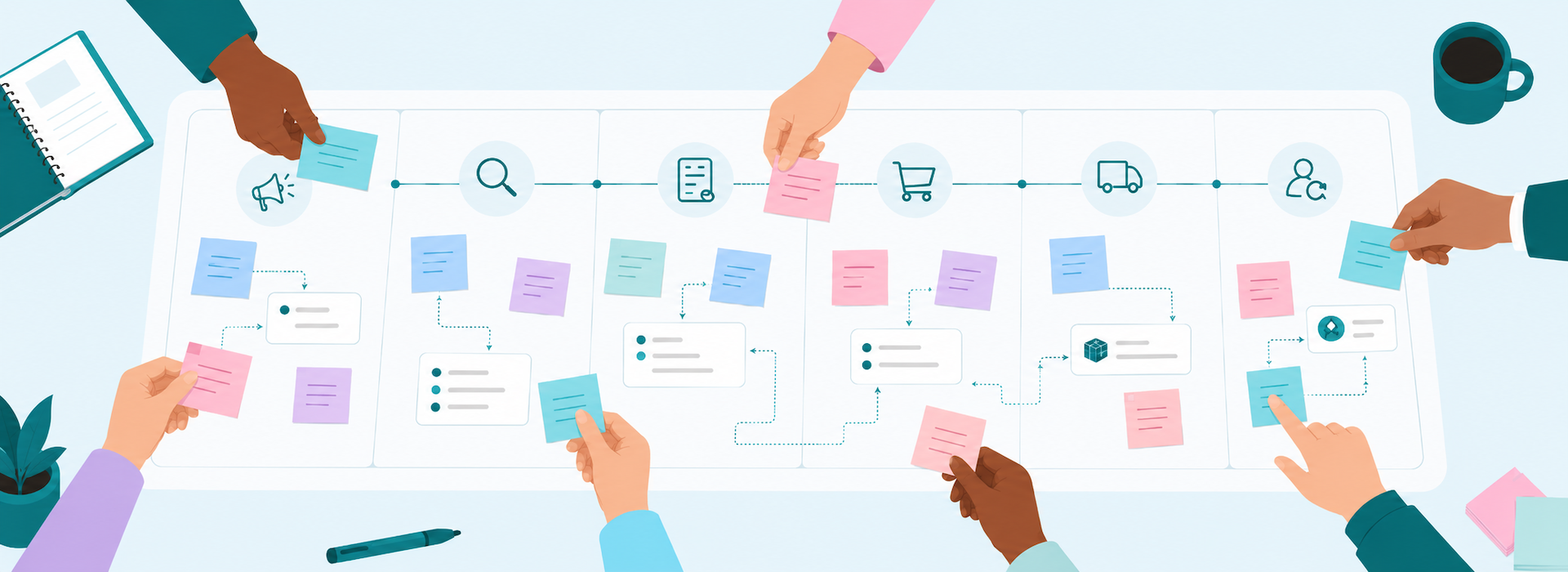
Good research starts with a map. Before you choose the right technology, document your ordering workflows from order creation to completion, tracing key steps and handoffs along the way.
Start by mapping a straightforward order. For example, a customer places an order by email. Your team reviews it, enters it into the appropriate spreadsheet, and forwards it to your fulfillment team. The fulfillment team creates a pick list, picks and packs the order, while your accounting team prepares the invoice. Finally, the order ships and your team waits for the payment to complete order processing.
Then, move on to documenting a more complex order. What happens when an order needs a price check or clarification from the customer, or when some items are backordered? How does this differ from your standard workflow?
Documenting this workflow can help you gather insight into how:
- Your customers order: How they place orders, and what information they often need. Also note which questions about pricing, orders, or payment methods usually come up.
- Your sales team works, including what tools they use, what they need access to, and if they often meet with customers and need to record orders on the go.
- Your admin team operates: How do they handle order processing? What tools do they use, and what information needs to reach your accounting team?
The goal is to create a requirements list you can use to compare tools. If your sales reps take orders during meetings, see whether potential vendors allow order taking on their mobile phones. The right B2B eCommerce platform should fit your ordering workflow and, even better, help you improve it.
Understand Your Buyers
Knowing your customer may be the golden rule for sales and marketing, but it also applies to the B2B platform hunt. Dig into buyer behavior, demographics, roles, and preferences to understand how they buy and where they need support. Further down the line, you can identify specific capabilities, tailor your B2B portal to how they order, and plan onboarding and software adoption.
If your customers prefer to order via spreadsheets, check whether a platform lets them upload a spreadsheet or order from a product list view. Or, if your company sells certain brands only to specific buyers, look for product visibility features so only those buyers can see those brands.
Identify Your Product and Service Requirements
Your products and services can help you further define which features a B2B platform must offer you. This is where what your customers need when ordering intersects with the workflows you’ve mapped, as you translate both into specific features to look for. For example:
- Do your products come in different sizes or packs? The systems you consider need to cover product options and package quantities.
- Are your products customizable (e.g., if you sell branded workwear)? Look for file uploads for customers, product options, or custom order fields.
- Are the same products being re-ordered in specific intervals (e.g., bi-weekly, monthly)? Your system should allow admins to set up standing orders.
- Do you deliver products only on specific dates? The B2B platforms you consider should let you set up rules for delivery dates.
Plan For Growth
Much like the universe, your business can expand. And so should your wholesale eCommerce platform. Review available solutions against your current business size and growth plans. For example, check if a platform can handle expanding product lines, adding users or sales reps, or staying responsive during heavy traffic.
All growth plans considered, the platform should adapt to your evolving needs through custom features, integrations, or storefront template changes.
As Hatch Coffee grew, it connected its B2B eCommerce platform with its in-house ERP. The integration helped its fulfillment team keep its speed as its customer base expanded. As Alfonso Tupaz, Hatch’s founder and CEO, says, B2B Wave “allows us to continue to be fast, but still with a relatively small team.”
Consider Your Budget
It’s time to talk money. The cost of implementing and maintaining a B2B eCommerce platform comes into play when selecting the right tool.
Which factors should you take into account?
First, the recurring subscription cost. Look at vendors’ pricing pages for a detailed list of what each plan includes and what you may need to add on top of it. Contact the vendors’ sales team to discuss this in more detail.
Then, review potential costs during your launch phase. Does the platform offer onboarding support? If yes, what’s the cost and what does it entail (e.g., platform walkthroughs, product and customer imports, storefront customization)? Also, check if you need to connect other tools. Many B2B platforms offer native integrations, some free and others paid. Or, if you need a custom integration, ask about development costs.
Ultimately, compare the total cost of ownership for your first year and as your business grows. A lower monthly price may be enticing, but if a platform’s total cost rises significantly once you add an essential integration or more sales rep seats, it may cost more in the long term than the monthly price suggests.
To weigh those costs against the potential value of the investment, look back at your admin workflow map. Try to estimate how many hours your team spends re-entering orders between systems and how much of that work the platform could realistically take away. Compare that saved time against the total cost.

5 Features To Evaluate in a B2B eCommerce Platform
1. User-friendly Interface & Simple Setup
Wholesale operations are complex, but your B2B eCommerce portal shouldn’t be. Look into solutions that can make routine ordering easy for customers and daily tasks straightforward for your sales and ops teams. The goal is to reduce the learning curve for all users and increase the chances for quick platform adoption.
What makes B2B ordering easy for a customer? A sleek design that lets them navigate (almost) intuitively through products, pages, and account areas. A clear structure is essential. A buyer logs into the portal and should be able to quickly see their favorite products and view pricing. They should also be able to easily find their order history and quick order or re-order menus without getting lost in your wholesale website. Ultimately, the platforms you evaluate need to help you create a beautiful buying experience.
On the selling and operations side, the tool you choose shouldn’t feel like rocket science to set up. Think of stuff like this: Can your team upload products, customers, or orders quickly? Can they set up multiple price lists without confusion? Can they quickly review orders in a specific status? Can your staff complete their tasks effortlessly?
2. Storefront & Workflow Customization
Configuring a tool to fit your business is like tailoring a suit. As we mentioned earlier, a good B2B platform should adapt to your needs, from the customer-facing portal to the admin panel your team uses.
Customization extends beyond your wholesale website’s look and feel, including:
- Controlling the products, categories, brands, banners, and pricing each buyer sees. Your team should be able to show a particular brand only to the buyers you’ve given access to it.
- Configuring your platform from the admin panel: setting product and order statuses, and creating rules that automatically update product statuses based on stock quantities.
- Custom features that support your ordering workflows and the vendor can develop for you, like adding “+/-” buttons on your storefront to make quantity selection easier for customers. Or, something bigger like the “Build-A-Candle” functionality Ella B. Candles uses in their B2B portal through which buyers can create and order personalized candles.
What you can do is ask for a demo from vendors to discuss your requirements. Find out which changes your team can make on their own and which ones the software provider would need to build or update for you.
3. Integration Capabilities
A wholesale eCommerce platform needs to work well with your other tools, such as accounting, shipping, or inventory management.
When shopping around for software, apart from looking at the built-in integrations it offers, you need to understand how these work. For example, a Stripe integration may let buyers pay a 50% deposit at checkout on your B2B portal and let your team charge the remaining amount after fulfillment.
The consideration is simple: Can the connection support specific tasks? See which way information flows, what triggers updates in connected systems, and how often data sync. Also, check the platform’s API - it can help you build other connections.
Ask vendors to walk you through an integration based on your documented workflows. East Coast Tropicals was looking for a platform that could sync well with QuickBooks Enterprise, the company’s operational spine, because its previous wholesale platform struggled to do so. As a result, staff had to take in orders coming from different channels (email, phone, website) and rekey them into QuickBooks Enterprise. Eventually, the team landed on B2B Wave because it could connect cleanly with the accounting system. With the portal in place, sales reps stopped entering orders manually.
4. Customer Account Management & Permissions
Every account is unique in wholesale. An eCommerce tool can help you build around that specificity.
Some customers may have an extensive internal structure and need to set up different users with different permissions regarding who can build orders and who can review and submit them. Another customer may operate in multiple locations and need to set up both different sub-users and multiple shipping addresses. Your team may also need to assign multiple sales reps to a customer account while giving their manager oversight.
5. Security Features
While security may not be the first thing that comes to mind when you think of a B2B eCommerce platform, it’s still something you must evaluate before you hit a subscription button. Your B2B portal will store customer and order details, so it must protect this sensitive data.
You may need to check:
- Does the platform offer encrypted connections (HTTPS/TLS) and multi-factor authentication, and for which users? How is access to the admin side protected?
- How are customer and order records protected? Where are these stored? How often do platform backups happen? Can these records be restored, and how quickly?
- Which system handles payment details, and what does the platform store?
- What happens when a customer’s or a sales rep’s account is compromised? Can an admin user reset those passwords? Can access be restricted promptly, and by whom?
- If you plan to use the platform’s API, can you reset or revoke API keys?

Types of B2B eCommerce Platforms: Which Setup Fits Your Business?
Different B2B platforms deliver wholesale ordering in different ways. The table below describes the four main types (B2B-focused software, eCommerce platforms with their own B2B offerings, B2B add-ons, and open-source software), what each is best for, and what to consider when comparing options. These aren’t rigid categories: a B2B-focused platform, for example, can connect to a retail store you already use.
Finally, where the software runs is a separate question. Some platforms may offer their own cloud hosting (SaaS). For others, you may need to arrange this yourself (self-hosted) with a cloud provider or your own servers (on-premises deployment). Some offer both. If you need control over deployment, ask which options are available and who will manage updates, backups, security, and support.

Beyond the Specs: What Else to Review Before You Choose
There are a few more things you need to evaluate before committing to a wholesale eCommerce platform.
Free trials and demos. See the platform in action: sign up for a free trial or book a dedicated demo. Remember the simple and complex orders you documented earlier? Try both in a free trial. During a demo, ask the vendor to walk you through them and explain how any remaining steps would be handled. It’ll help you assess the software’s user-friendliness and fit.
Support quality. See how quickly the team responds and whether its replies resolve your question during a free trial. Also, check what support channels it uses (e.g., email, chat, Zoom calls) to address requests.
Onboarding and platform documentation. Ask if vendors offer guided onboarding support, what it entails, and if there’s a fee. Also, review platform documentation or other onboarding materials. For instance, East Coast Tropicals relies on B2B Wave’s user guides and Knowledge Base to take control of their platform.
Product updates. Go through the platform’s recent product updates against your documented workflows to see if the software improves the features and integrations you expect to use.
Reviews and testimonials. Find feedback on the overall platform experience and support through online reviews and testimonials from wholesalers in your industry, of a similar size, or with similar needs.
Which B2B eCommerce Platform Should You Choose?
The right one should handle the buyer accounts, orders, and handoffs you mapped at a cost you can justify. It should also leave room for your growth without boxing you into a rigid setup.
Finding the best B2B eCommerce platform requires understanding your business needs, your non-negotiable features, and the different ways platforms can be set up.
From there, create a shortlist based on your requirements, then test the simple and complex orders you mapped through a trial or demo. Compare how each platform handles them, what setup involves, and what it will cost over time, including recurring fees and one-off costs like custom integrations.
Trying to figure out if we’re a good fit for you? Request a demo today and explore how B2B Wave can support your business.



.svg)

Join fast-growing B2B wholesalers, distributors, and brands who are automating their businesses.
No one does B2B eCommerce like B2B Wave. We’re fast, intuitive, error-free, and integrate with your current stack.
.svg)

.png)

.svg)